Vector illustration & layout
Maniac Draw
From logo to brochure.
Precise Bézier tools, live effects and real page layout — in one app.
One-time purchase, no subscription. Linked to your Maniac ID, for up to 5 PCs. Requires Maniac OS 1.0 or later. VAT is calculated at checkout.
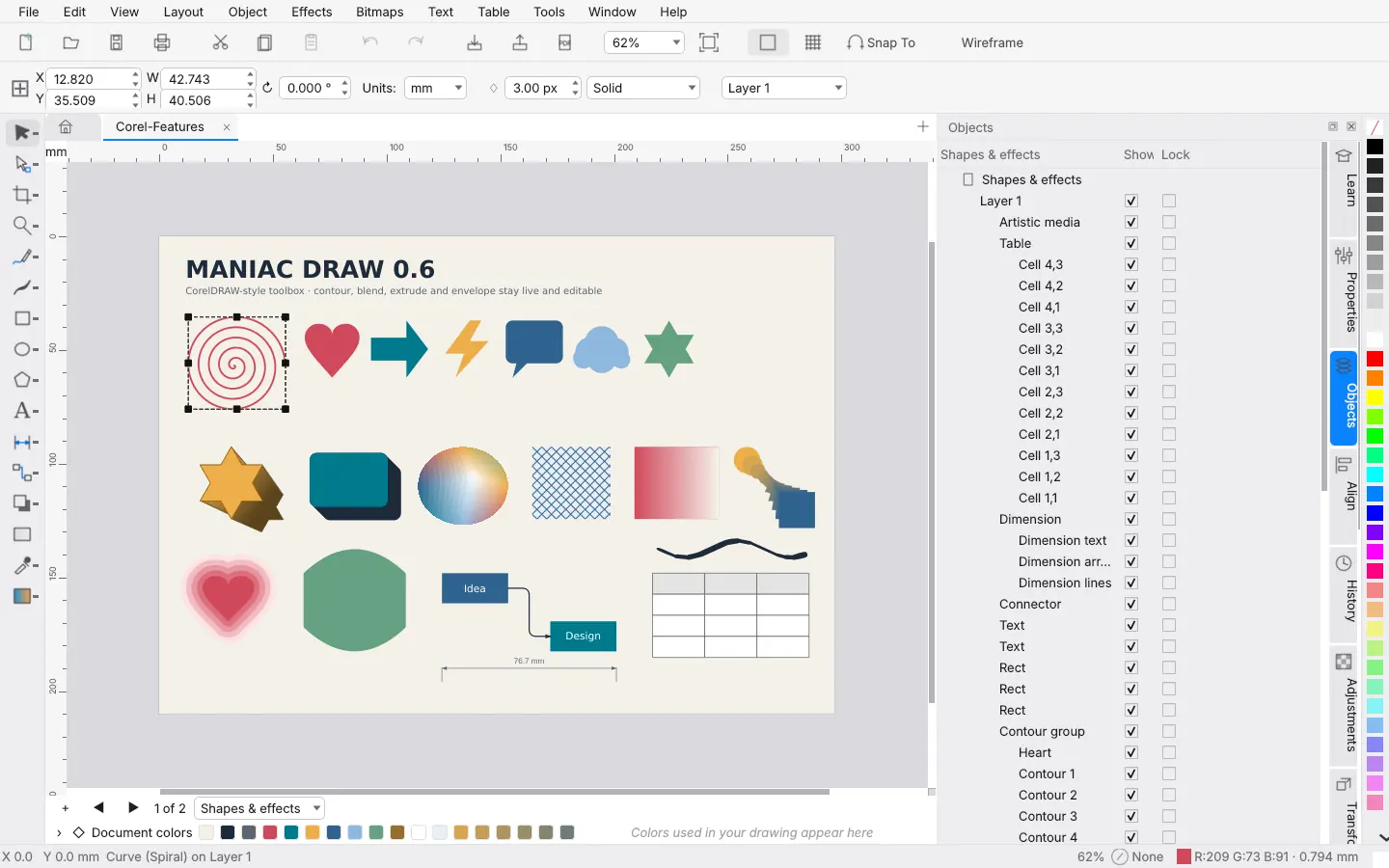
Draw anything. Lay out everything.
Drawing tools
- Bézier, freehand and artistic media curves
- Rectangles, ellipses, polygons, stars and spirals
- Node editing, knife and eraser
- Tables, dimension lines and connectors
Live effects
- Contour, blend and extrude
- Envelope and distort
- Drop shadows and transparency
- Effects stay editable
Fills and outlines
- Solid, gradient, pattern and mesh fills
- Outline widths, styles and arrowheads
- Colour palettes
Text and pages
- Artistic and paragraph text
- Multi-page documents
- Layers and an object manager
Bitmaps and export
- Place photos next to vectors
- Trace bitmaps into vector shapes
- Export SVG, PDF and PNG
Feels at home
- All menus in the Maniac OS menu bar
- Familiar shortcuts
- Light and dark
A closer look.
Real screenshots. Select one to see it larger.
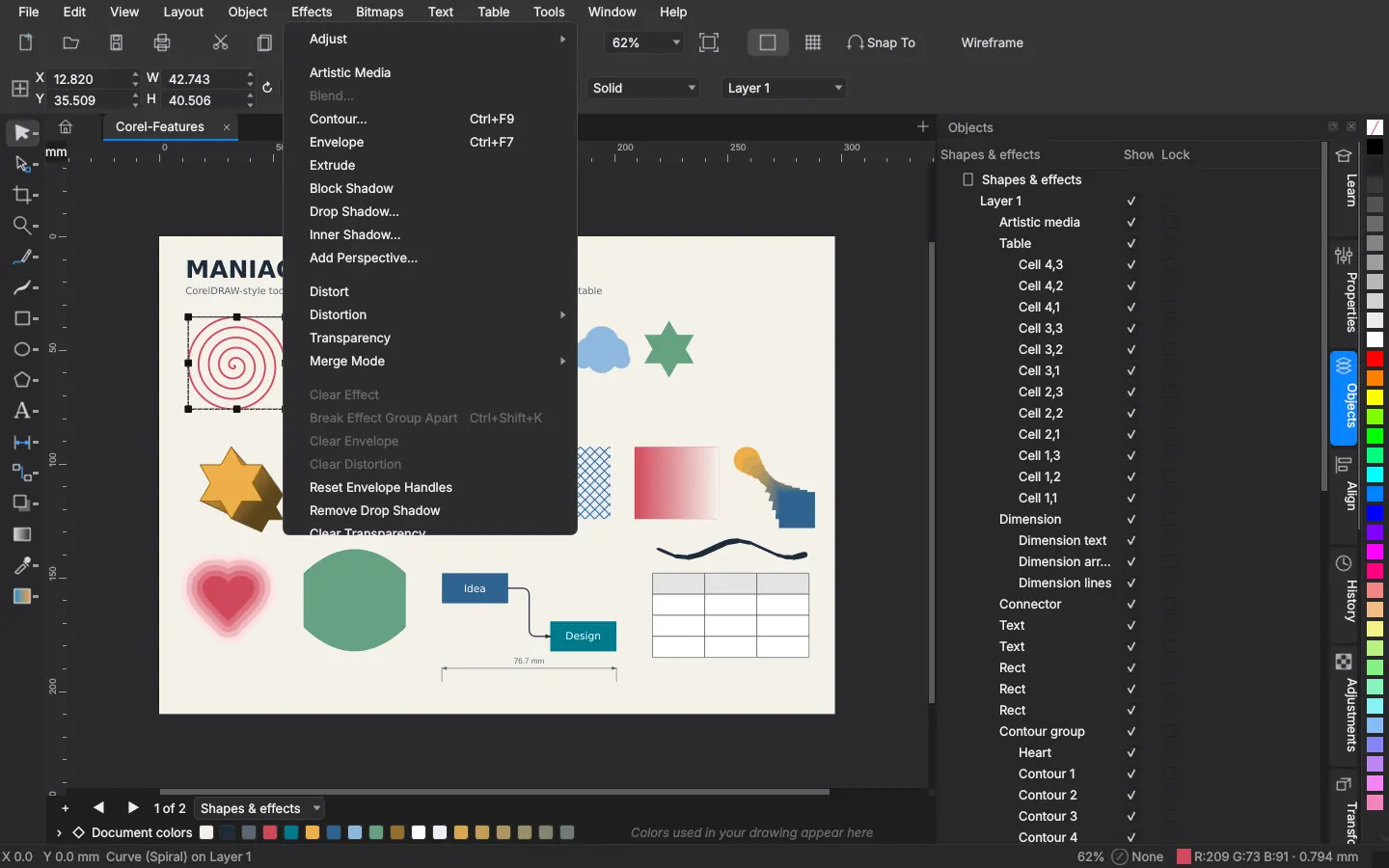
The Effects menu: contour, envelope, extrude, drop shadow and more 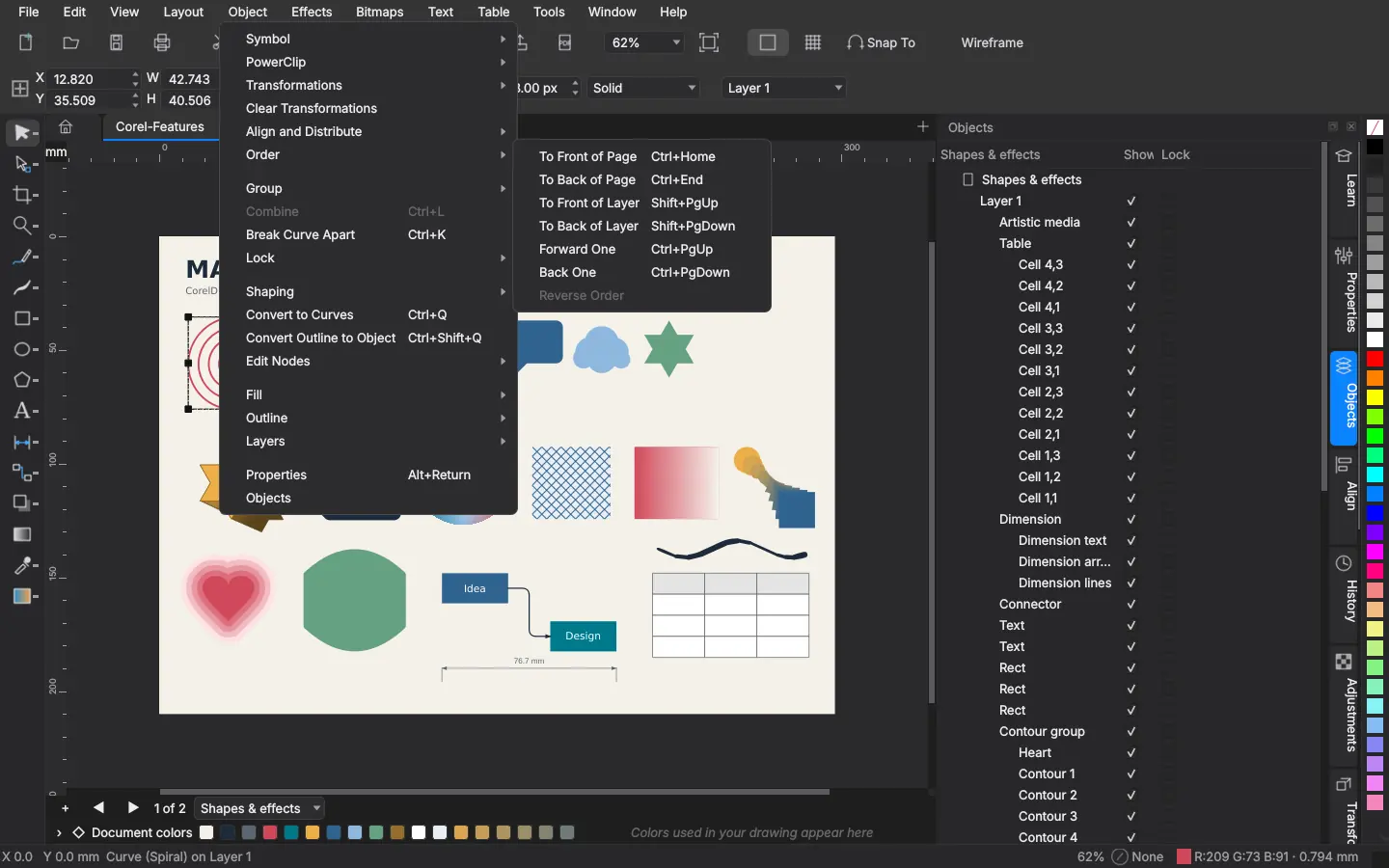
The Object menu with the Order submenu 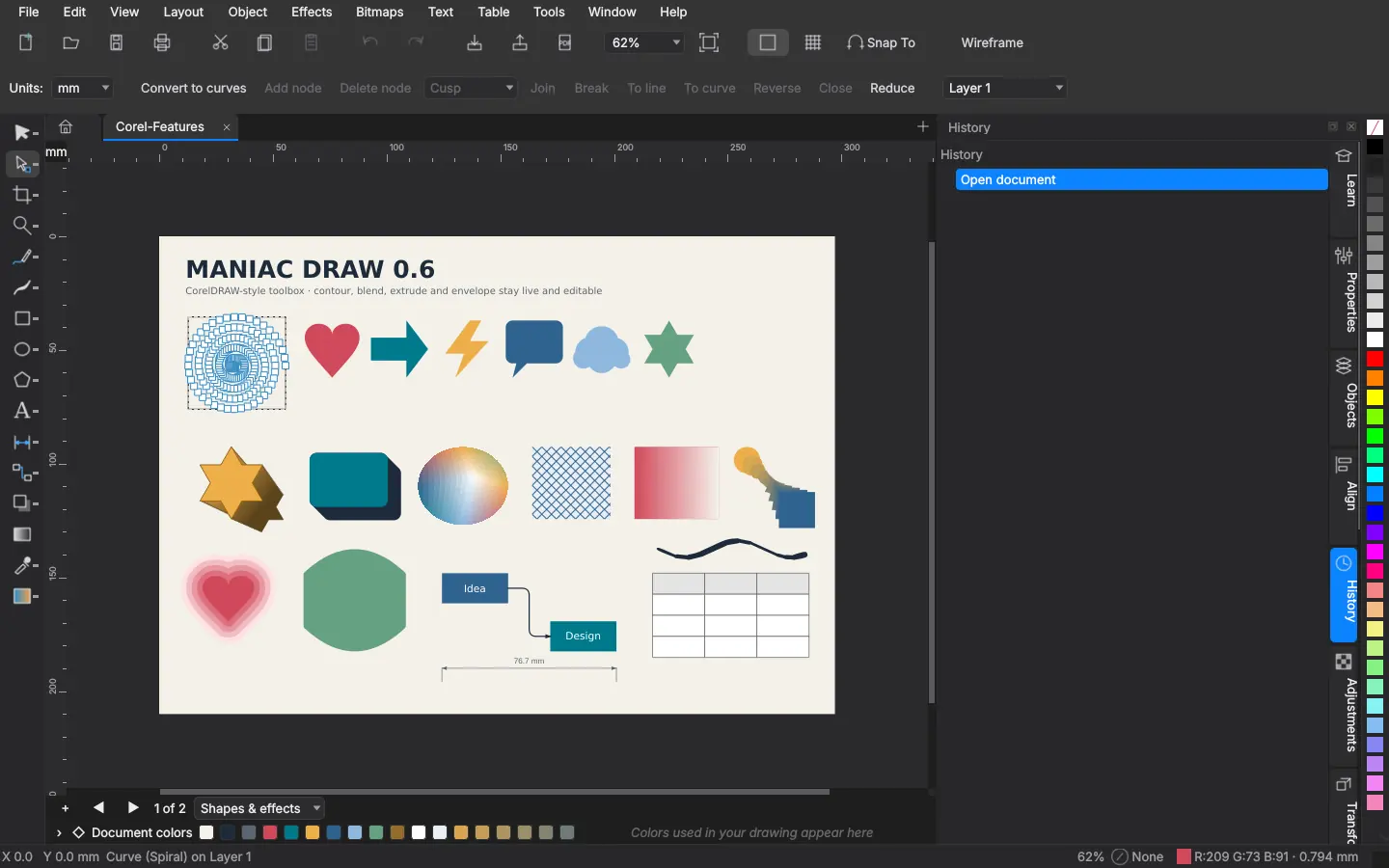
Editing the nodes of a spiral with the shape tool 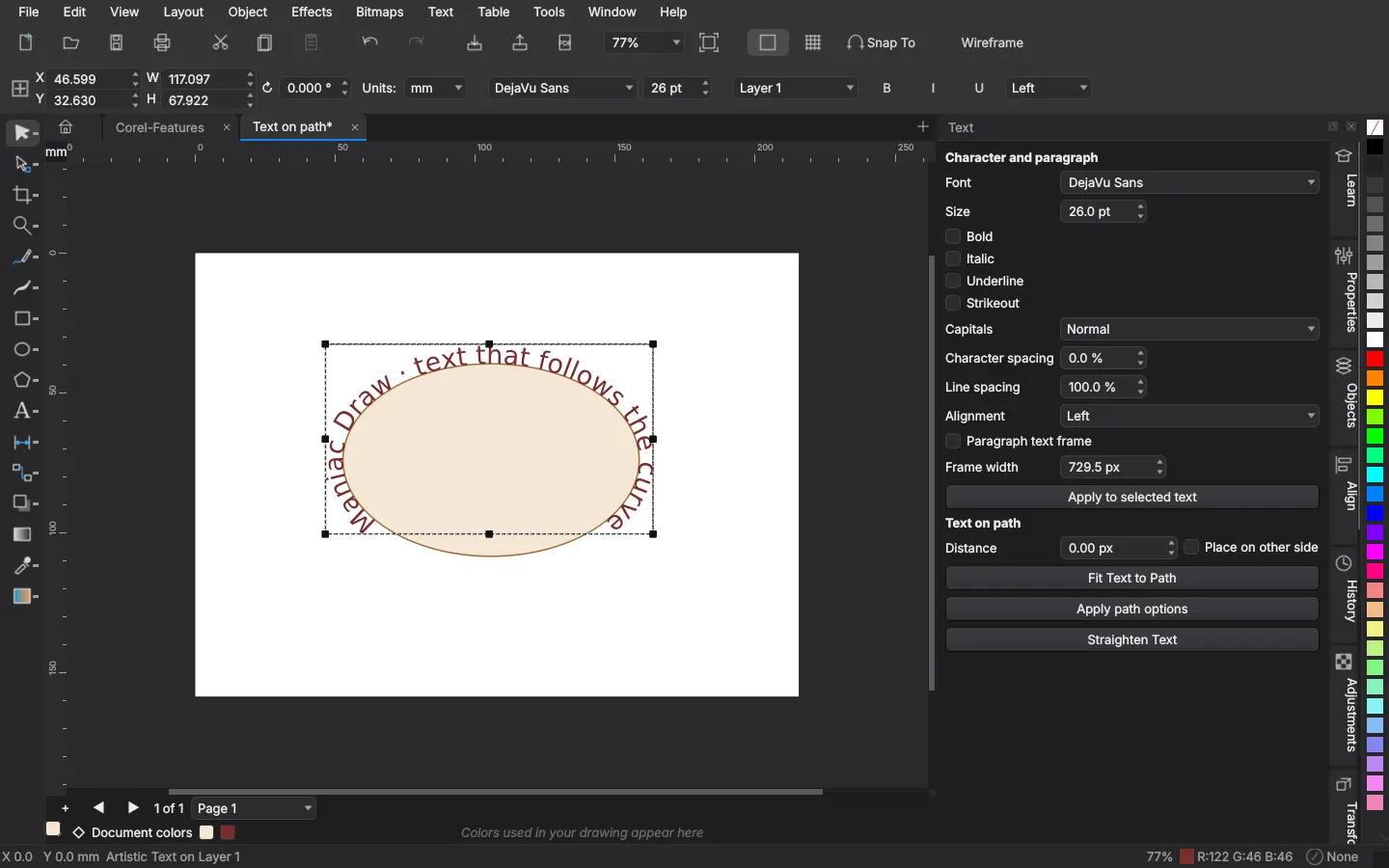
Text fitted to an ellipse, with the Text panel 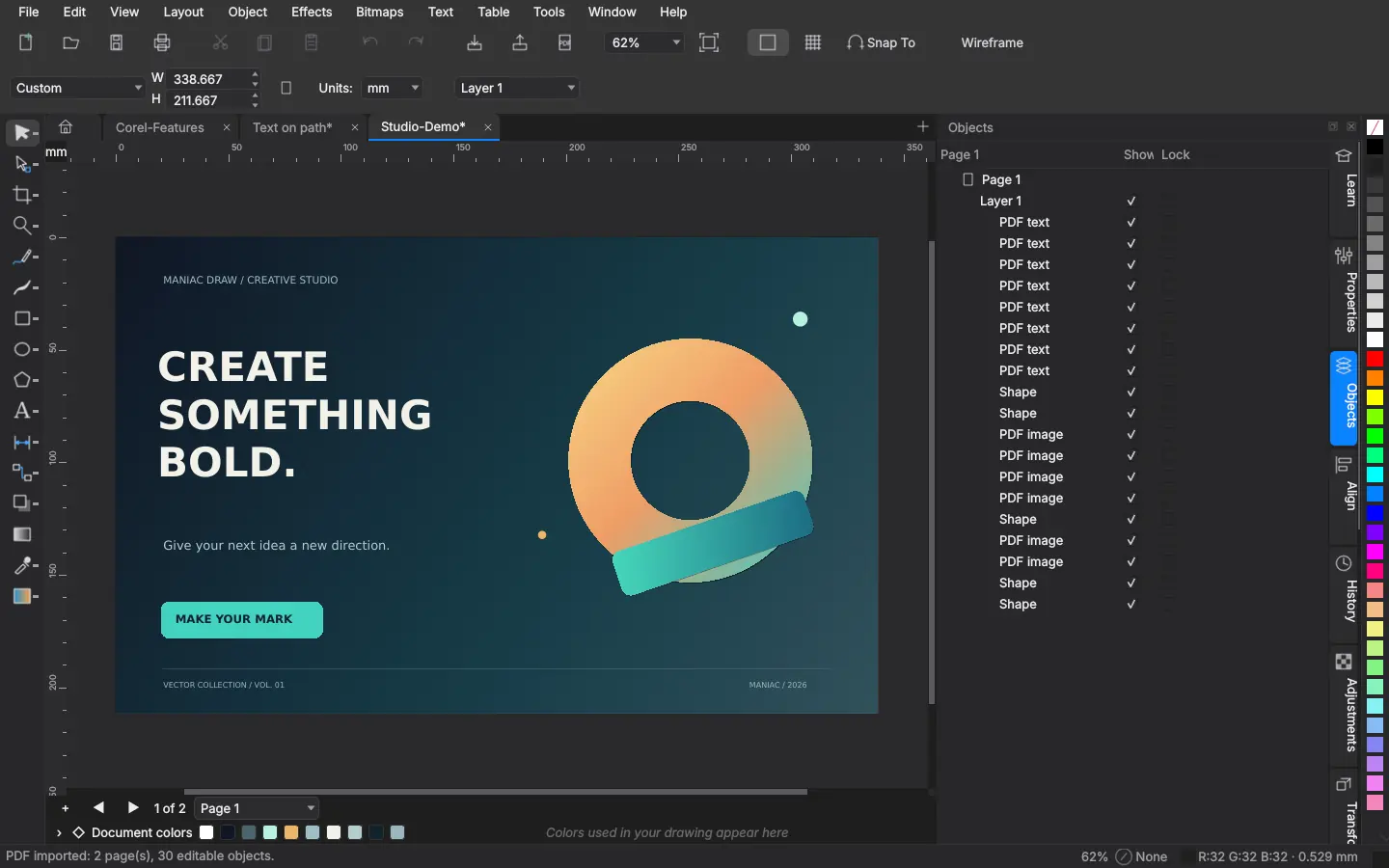
A PDF page imported as editable vectors, text and images
Tech specs
What you get, and what you need.
| Price | €10 — One-time purchase, no subscription. Install on up to 5 PCs signed in with your Maniac ID. |
|---|---|
| Category | Vector illustration & layout |
| Requires | Maniac OS 1.0 or later. A Maniac ID and an internet connection to buy and install it; after that it works offline. |
| Your PC and files |
|
How buying works
You buy each app once. It belongs to your Maniac ID, not to one computer.
Secure checkout
Payment is handled by Lemon Squeezy, our reseller. Pay by card or other local methods; VAT is worked out for your country.
Tied to your Maniac ID
Use the same e-mail address as your Maniac ID. The purchase appears in your account by itself.
Up to 5 PCs
Install your apps on up to 5 of your own PCs from Store › Purchased. No licence keys to type.
Runs where it’s installed
Each app is a signed, encrypted .mapp that runs only on Maniac OS, on the PC it was installed on.