
Layered photo & image editor
Maniac Pixel
Big edits. Light touch.
Layers, masks, adjustments and retouching tools that make big changes feel easy.
One-time purchase, no subscription. Linked to your Maniac ID, for up to 5 PCs. Requires Maniac OS 1.0 or later. VAT is calculated at checkout.
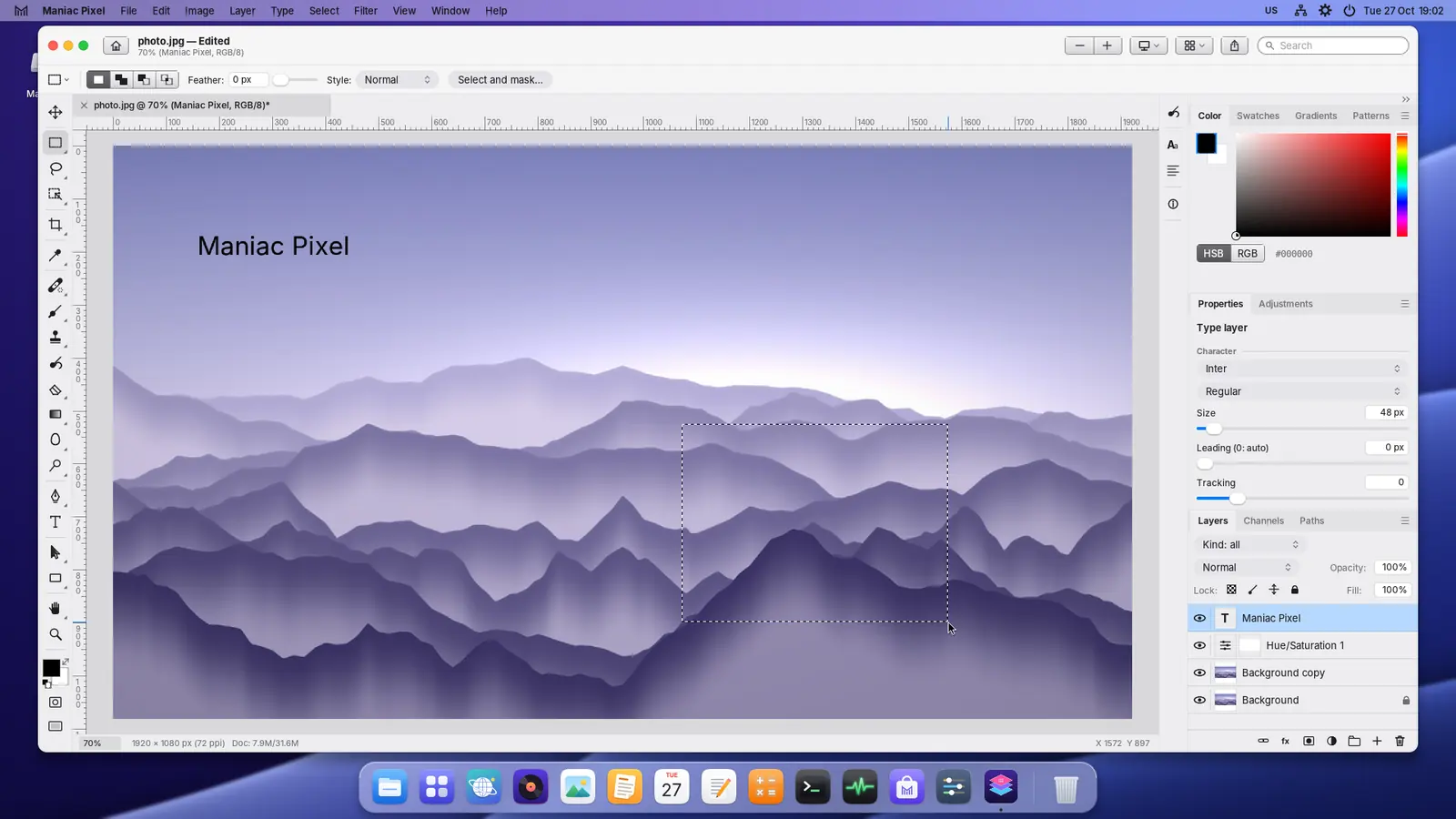
Every tool you reach for.
Layers
- Layers with masks and blend modes
- Adjustment layers you can change later
- Layer styles and opacity
Selections
- Rectangle, ellipse and lasso
- Magic wand
- Feather, add, subtract and intersect
Adjustments
- Levels, curves, exposure and vibrance
- Hue/saturation, colour balance, black & white
- Live preview before you apply
Retouching
- Healing and spot healing brushes, clone stamp
- Content-aware fill and move
- Brush, eraser, gradient, fill and text
Filters
- Gaussian and motion blur, unsharp mask
- Add noise, sharpen and more
- Free transform: scale, rotate, skew
Full history
- Every step in the History panel
- Step back to any point
- Never lose an idea
A closer look.
Real screenshots. Select one to see it larger.
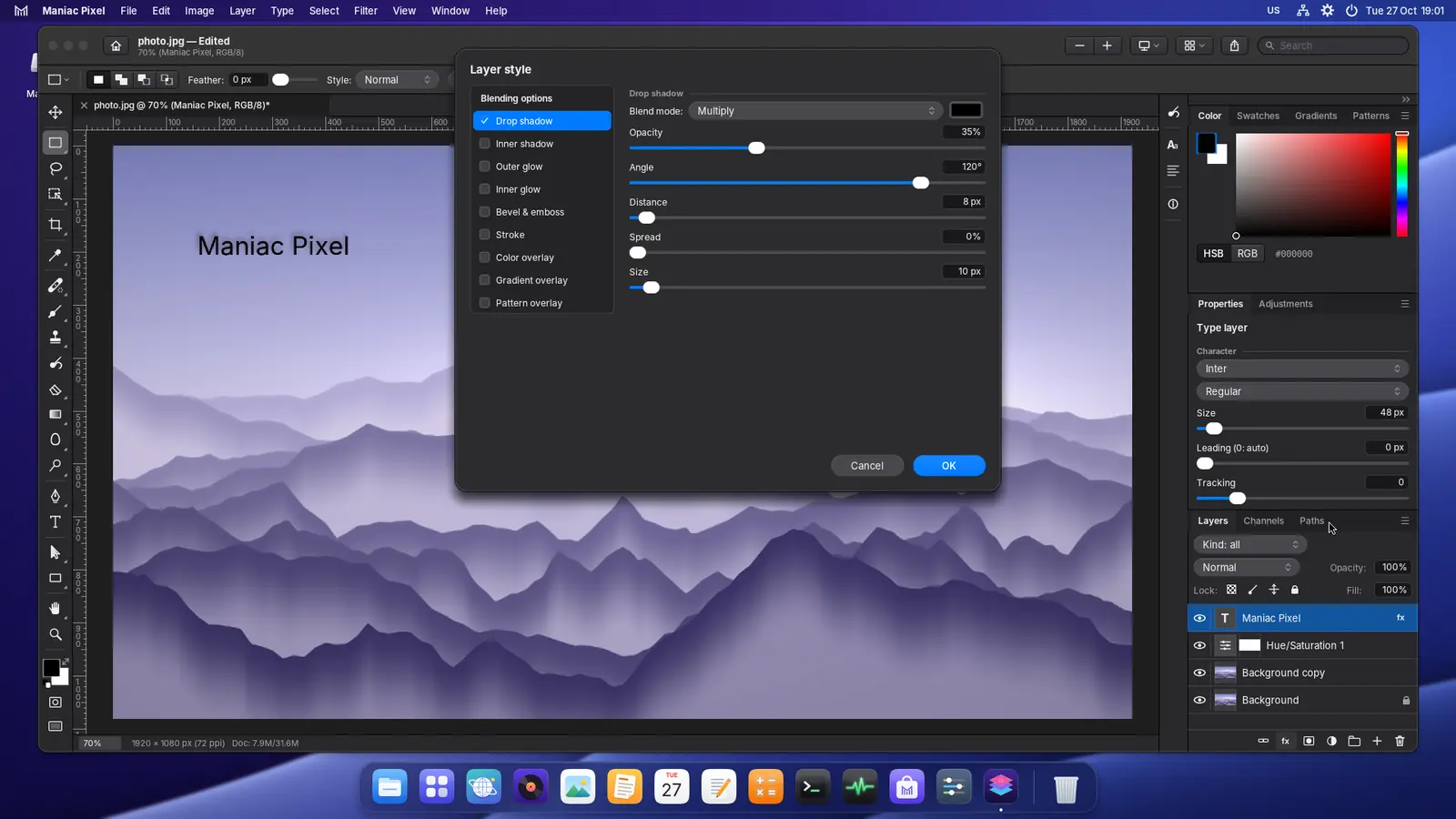
The Layer style dialog adding a drop shadow to a type layer 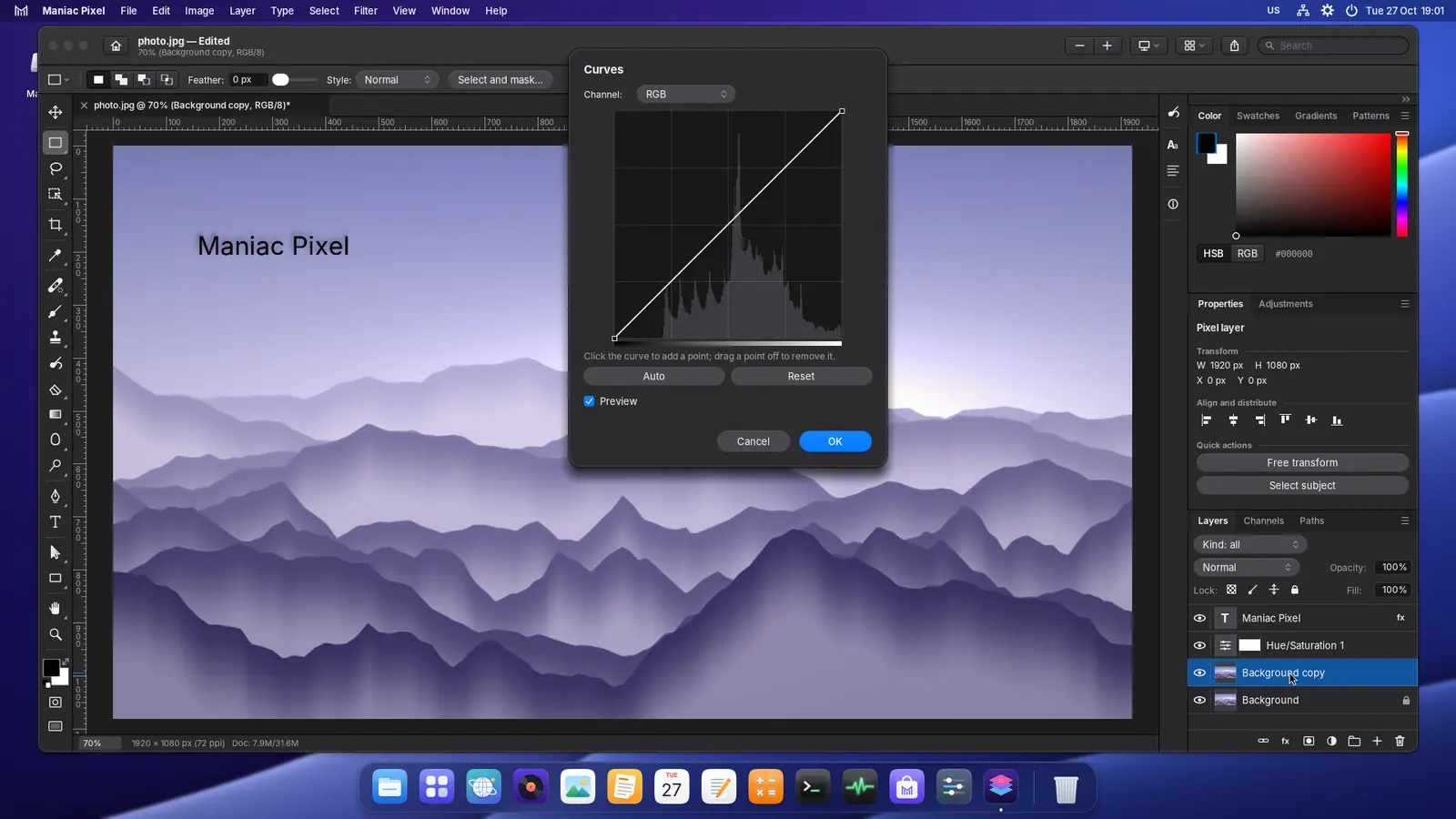
Curves with a live histogram 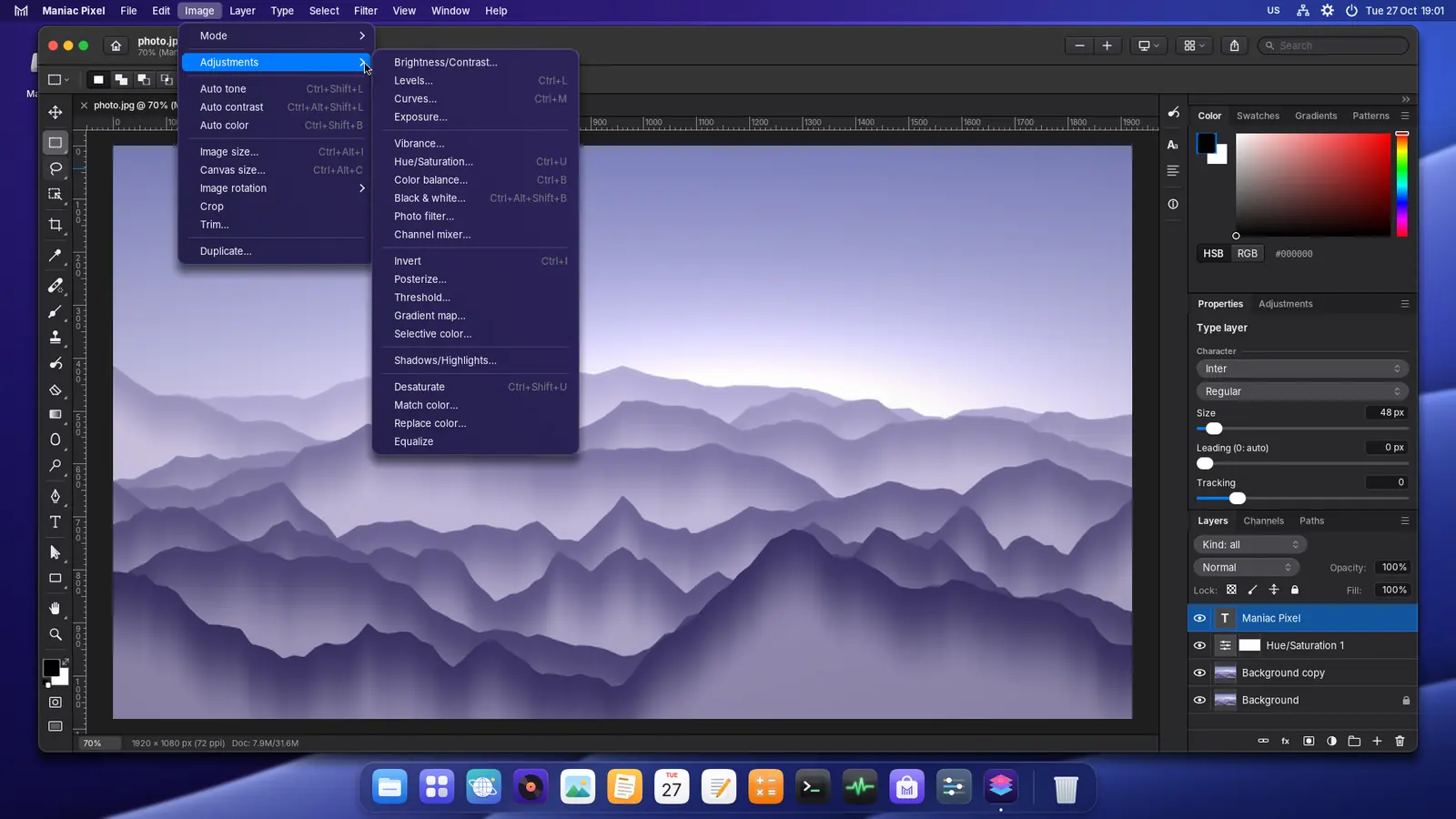
The Image › Adjustments menu 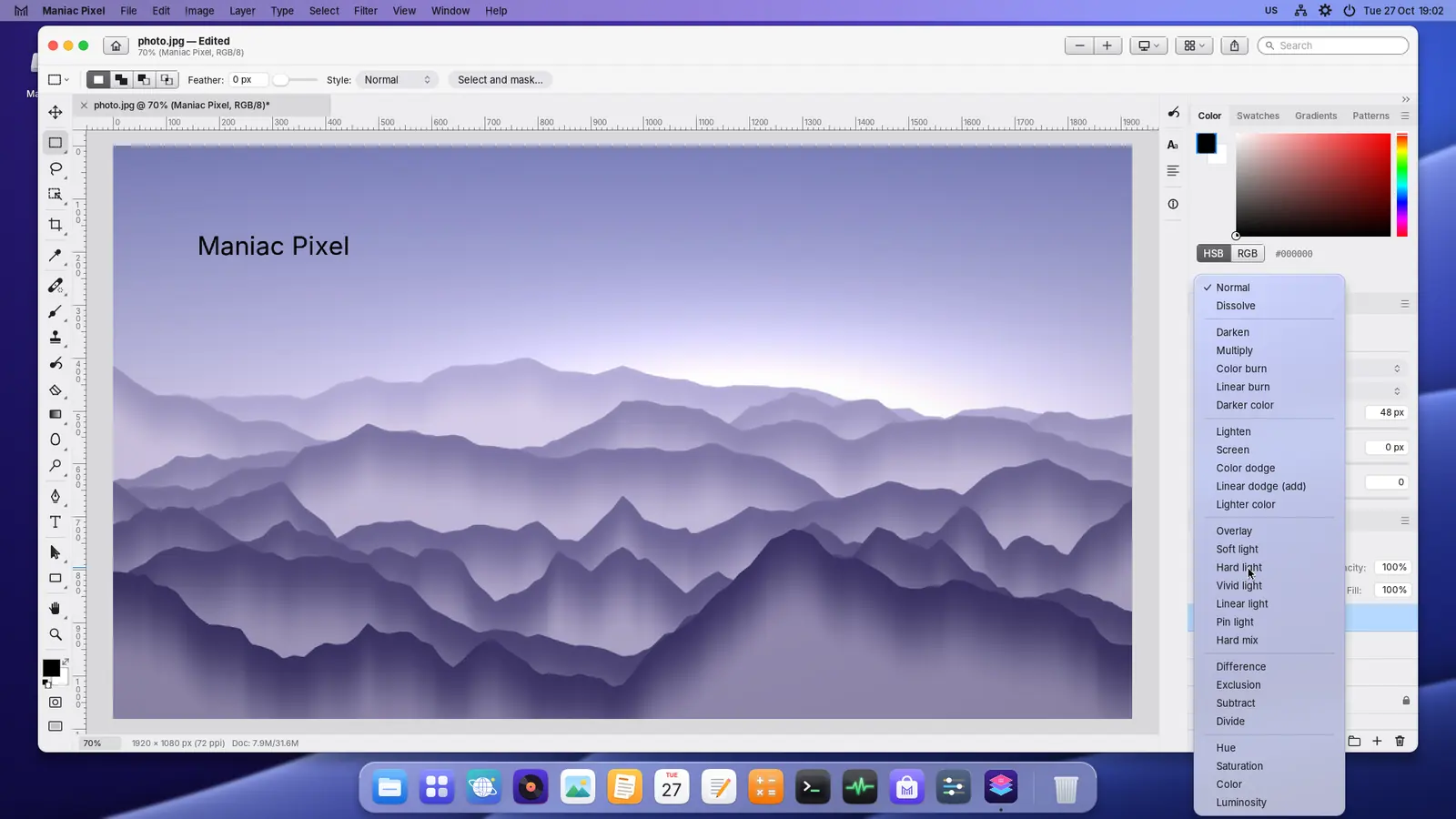
Choosing a blend mode in the Layers panel
Tech specs
What you get, and what you need.
| Price | €5 — One-time purchase, no subscription. Install on up to 5 PCs signed in with your Maniac ID. |
|---|---|
| Category | Layered photo & image editor |
| Requires | Maniac OS 1.0 or later. A Maniac ID and an internet connection to buy and install it; after that it works offline. |
| Your PC and files |
|
How buying works
You buy each app once. It belongs to your Maniac ID, not to one computer.
Secure checkout
Payment is handled by Lemon Squeezy, our reseller. Pay by card or other local methods; VAT is worked out for your country.
Tied to your Maniac ID
Use the same e-mail address as your Maniac ID. The purchase appears in your account by itself.
Up to 5 PCs
Install your apps on up to 5 of your own PCs from Store › Purchased. No licence keys to type.
Runs where it’s installed
Each app is a signed, encrypted .mapp that runs only on Maniac OS, on the PC it was installed on.