Developers
Make apps for Maniac OS.
Anyone can make apps with Maniac Code, the free IDE in the Store — and send free apps to the Maniac Store, where every Maniac OS user can install them.
Everything in one app.
Maniac Code has the tools for the whole journey, from the first window to the Store. More about Maniac Code ›
Design
A layout designer with constraints and auto layout, so windows look right at every size.
Write and build
An editor with completion and issues as you type, building, debugging and Git.
Test
Unit tests and UI tests that click through your app the way a person would.
Look inside
The view hierarchy in 3D and a memory graph of every live block, while the app runs.
Translate
String tables for every language, with what still needs translating.
Distribute
Distribute App signs and archives your app and sends it to the Maniac Store.
From the designer to the Store.
Real screenshots of Maniac Code on Maniac OS.
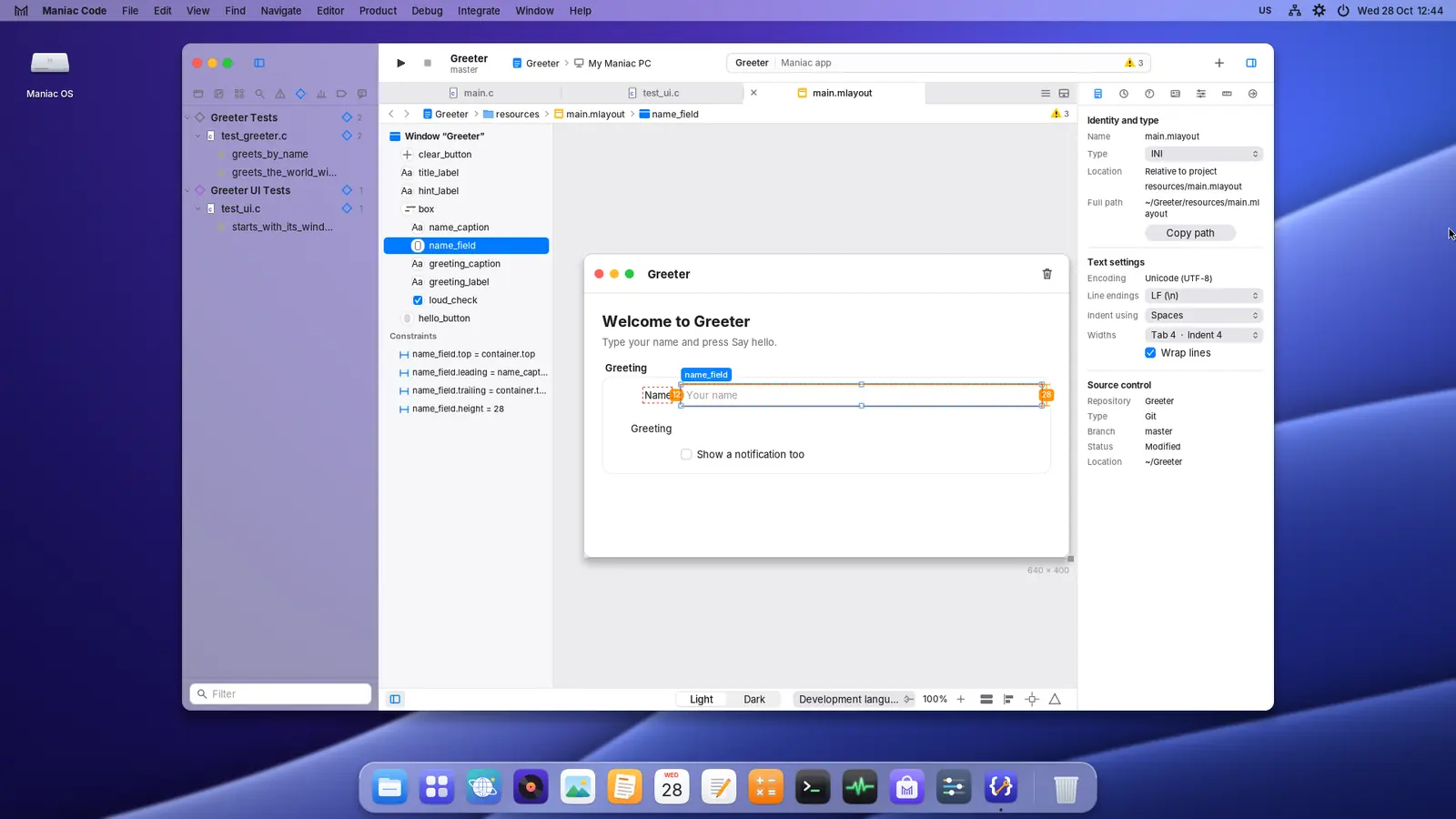
The layout designer with constraints for a text field 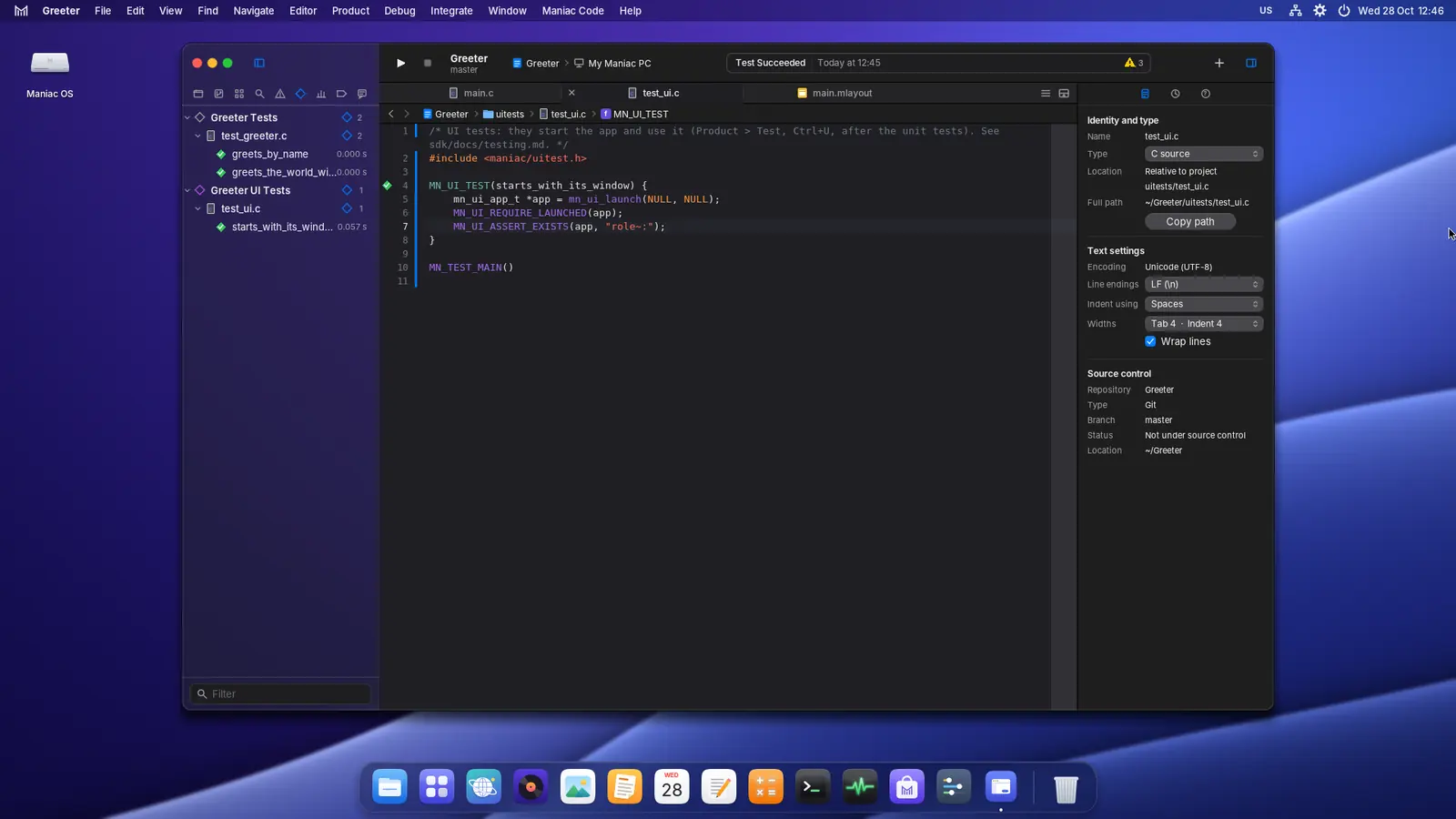
Unit tests and UI tests in the test navigator 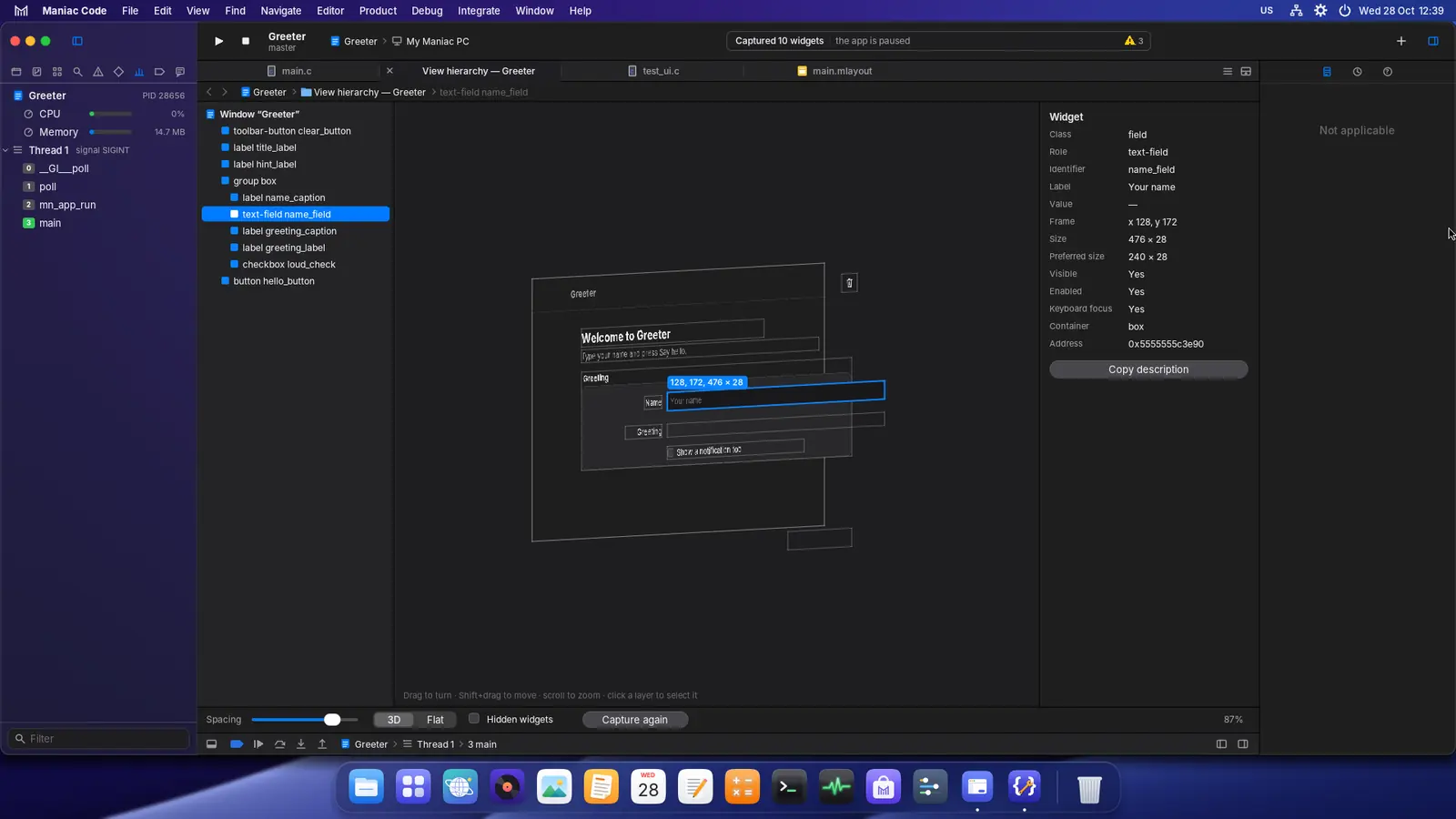
The view hierarchy of a running app, in 3D 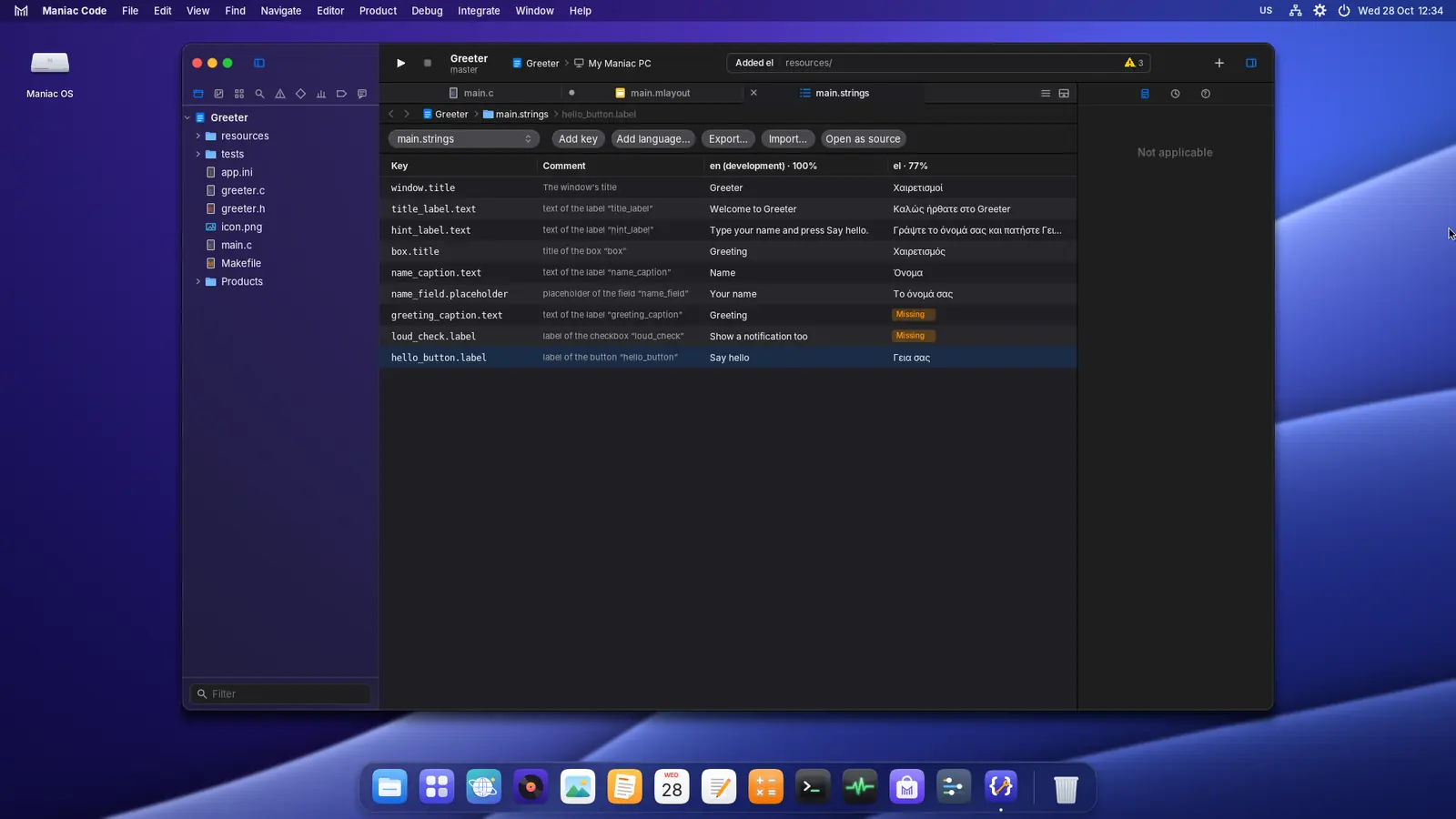
Translating an app: the English and Greek string tables 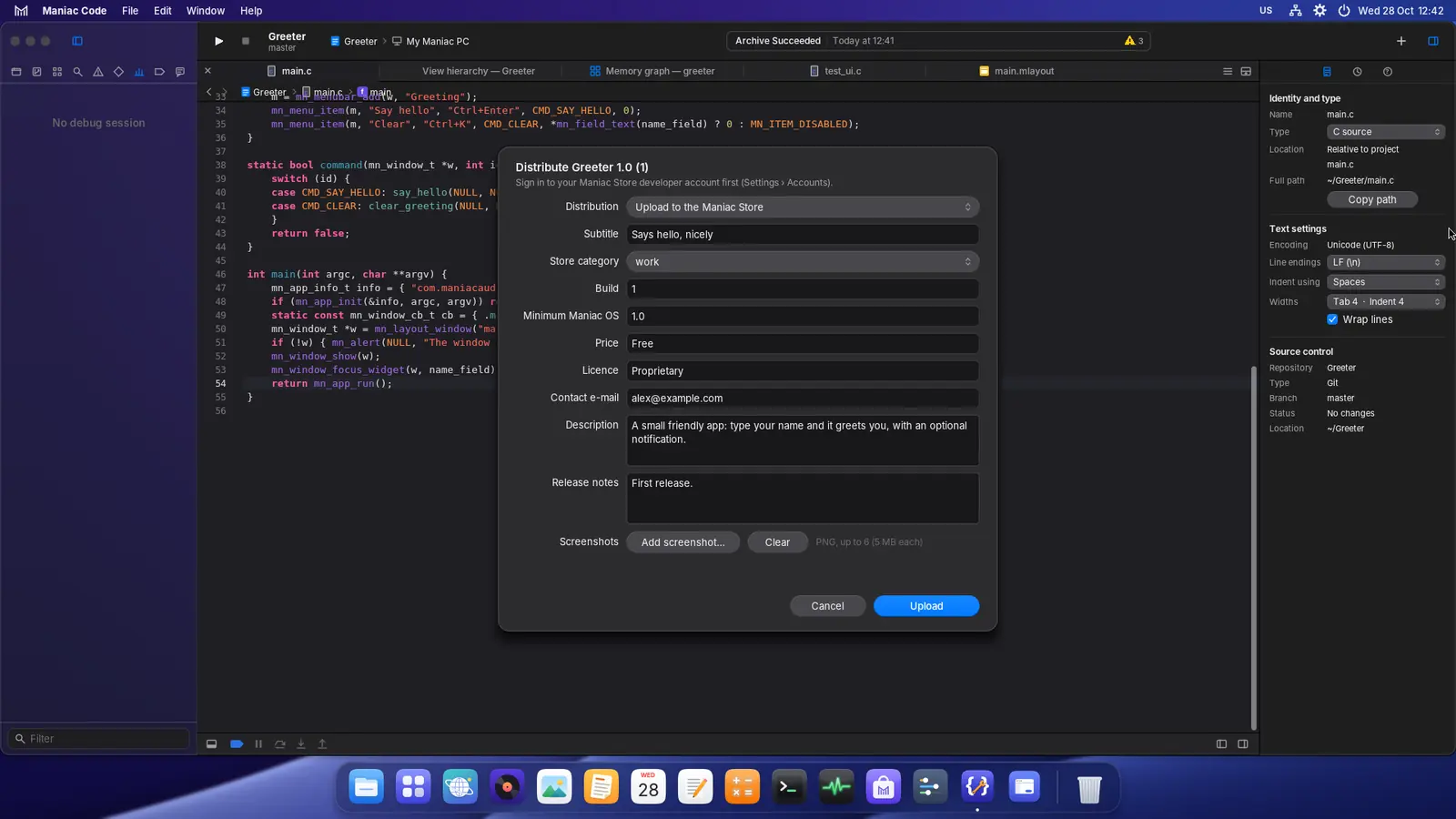
Distribute App: sending a build to the Maniac Store
Send your app to the Store
Free apps can be sent by anyone with a Maniac ID. It costs nothing.
Make your signing key
In Maniac Code, choose Settings › Accounts › Developer signing key › Create key…. The key stays on your PC; the Store recognises your apps by it, so keep a backup.
Sign in with your Maniac ID
Type your e-mail address in Settings › Accounts. The Maniac Store e-mails you a 6-digit sign-in code — there is no password to remember or to leak.
Accept the developer terms
Register as a developer with the name the Store shows under your apps, and accept the Maniac Store developer terms.
Archive and distribute
Choose Product › Archive, then Distribute App… in the Organizer. Add a subtitle, a description, screenshots and release notes, and send it.
Scan and review
The Store scans the package for malware and checks its signature, then the Store’s owner reviews it. You get an e-mail when it is approved or, with the reason, when it isn’t.
Published
Approved apps are signed for the Store and appear in it, with your name. Updates go the same way, signed with the same key.
Safe for everyone.
Every app in the Maniac Store is checked before anyone can install it.
Sign-in by e-mail
Developers sign in with a one-time code sent to their Maniac ID e-mail address.
Automatic malware scan
Each upload is scanned for malware, and its signature, its app.ini and its checksum are checked.
Owner review
A person looks at every app — what it does, its screenshots and its history — before it is published.
Questions and answers
Does it cost anything?
Which apps can I send?
How long does a review take?
Can I change my mind?
What about my users’ privacy?
Questions about the Store or a review? Write to support@maniaclab.app.